Client feedback on staging sites without screenshot emails
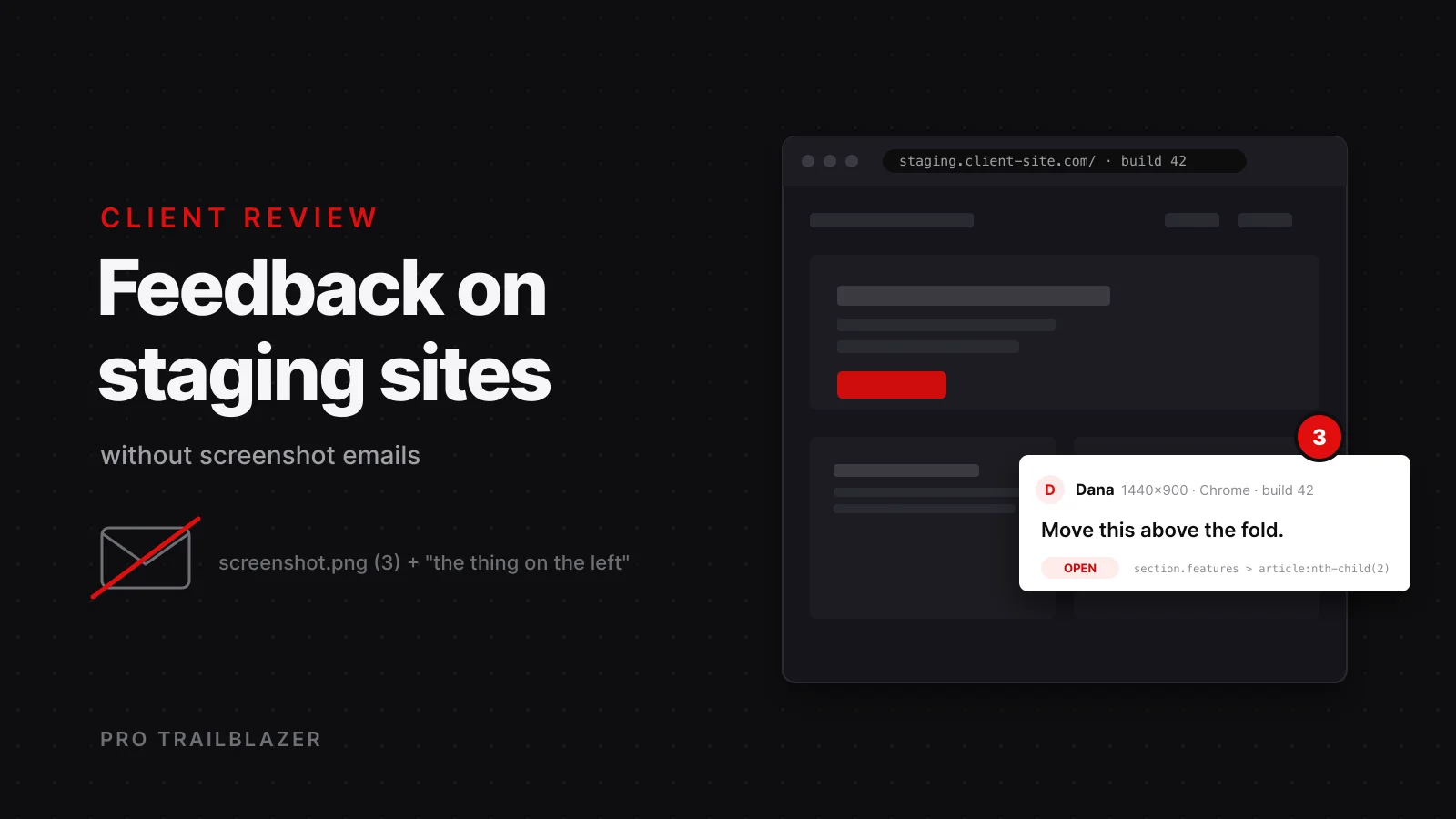
Every freelance web project has a review round, and most of them run on the worst possible tool: an email with a screenshot attached, a red arrow drawn on it, and a sentence like "the thing on the left should be bigger." Then a second email arrives replying to the first. By the third round nobody knows which comments are fixed. This post describes the review process I run on client staging sites, and the two tools that make it work: co-mment and Annotate.js.
Why do screenshot emails fail?
The screenshot is not the problem. The missing context around it is. A useful piece of feedback has to answer five questions, and an email answers almost none of them.
- Which element? A screenshot shows pixels, not the component. If the layout shifts at another viewport, the arrow points at nothing.
- In what state? Viewport, browser, logged in or out, which tab was open. Half of the reports that say it looks broken are a phone screenshot of a desktop layout, or the other way around.
- Which version? Staging changes daily. A comment about Tuesday's build arriving on Thursday may already be fixed, or may describe a bug you introduced since.
- Is it done? Email threads never resolve. The same note gets re-sent because the reviewer cannot see that it was closed.
- What is the task? Someone has to retype the feedback into a tracker, and that someone is you, at the end of the day, from memory.
What should an on-page review tool capture?
This is the rubric I use to judge any feedback tool, and it maps directly to the five failures above.
- An anchor to the element, not to pixel coordinates, so the note survives a layout change and a redeploy.
- The page URL, viewport size, and browser, captured automatically, so nobody has to ask.
- A screenshot of the area at the moment of the comment, as evidence of what the reviewer saw.
- A status per comment, open or resolved, visible to the reviewer as well as to you.
- An export path into the tool where the work actually gets done: a tracker, a to-do list, or a coding agent.
Neither tool below scores five out of five, and that is fine. They fail in opposite places, which is exactly why I keep both.
co-mment: a hosted inbox for the whole project
co-mment adds a click-to-comment layer to a staging or preview site. A reviewer clicks the element they mean, types the note, and the comment becomes a thread pinned to that element on the live page. Reviewers do not install anything and do not create an account. They give a name and an email once, confirm their identity through email, and that is it.
The pins are the reason it works after a redeploy. Each one stores a selector chain, offsets, and a text fingerprint of the element rather than a screen coordinate, so it follows the element when the page changes and flags drift when the text underneath it has changed. Every thread carries an automatic screenshot of the pinned area plus the page, viewport, browser, status, and commenter, and all of it lands in one inbox for the project that you can filter across any of those fields.
Install is either a React component from npm behind a non-production check, which covers Next.js, Vite, and Astro projects, or a single script tag with a project key for Rails, Django, WordPress, Hugo, and plain HTML. The two exports are the part that changes the workflow: a finished thread can become a Linear issue, or it can be exported as a structured prompt for Claude Code or Cursor. The reviewer's words, the element selector, and the screenshot go into the prompt together, and you stay the who reads the diff before it ships. It is free while in public preview, with no card required.
Annotate.js: one script tag and a JSON file
Annotate.js takes the opposite approach. It is an MIT-licensed browser script, roughly 40 KB gzipped with no dependencies, that turns any page into a review board. Drop one script tag into the staging template and reviewers get six tools: highlight text, draw a rectangle, draw a circle, drop a pixel-precise pin, sketch freehand, and leave a section note.
Nothing leaves the browser. Annotations live in local storage, and sharing a round means exporting one small JSON file and importing it on the other side, where every mark reappears in place. Text highlights store the quoted text plus surrounding context so they can re-anchor after copy edits, and a highlight whose text was deleted stays in the list marked as orphaned instead of vanishing. Configuration is four data attributes on the script tag: an accent color, a light or dark theme, a project namespace, and a briefing note the reviewer sees when they start.
Because it is a plain script loaded after the page renders, it works on React, Vue, Next.js, WordPress, Webflow, Shopify, or a static HTML file with no build step. There is no backend, no account, and no hosted inbox, which is either its best feature or its limit depending on the project.
Which one should you use?
Pick by the shape of the review, not by the feature list.
- Use co-mment when more than one person reviews, when there will be several rounds, when you want a persistent inbox with statuses, or when the output should go straight into Linear or a coding agent. It is also the better fit for clients who will never manage a file.
- Use Annotate.js when there is one reviewer, when the client's policy will not allow a third-party service on their staging site, when the site is static with no build step, or when the feedback is visual enough to need drawing tools. Nothing leaves the reviewer's machine, which matters for pre-launch work under NDA.
- Use both when a designer needs to sketch over a layout in round one and the client needs a threaded inbox in round two. The JSON export from the first round makes a clean handoff into the second.
A review round that actually closes
The tool is only half of it. This is the process, and it runs the same way with either layer.
- Ship a versioned staging build. Put the build number or commit in the footer and in the tool's project namespace, so every comment is tied to a version. On Cloudflare Workers, a feature branch gets its own preview URL from Workers Builds without any extra setup.
- Load the layer on staging only. Wrap the component in a non-production check, or add the script tag only to the staging template. Add a launch checklist item to confirm it is gone.
- Brief the reviewer in two lines. Click the thing you mean, then say what you expected instead. One issue per comment. Annotate.js can show this as a briefing note on load; with co-mment it goes in the invitation.
- Time-box the round. Three working days is enough for a client site. Open-ended rounds produce drips of feedback that never form a list.
- Triage, do not fix inline. Sort every comment into fix now, discuss, or later. Discuss items get a reply on the thread, not a rebuild.
- Export the fix list. With co-mment, push the fix-now threads to Linear or export them as prompts for your coding agent. With Annotate.js, import the JSON and walk the list in order. The QA and launch phases of a freelance project are where most of these handoffs sit.
- Resolve on the page, then redeploy. Mark each comment resolved where the reviewer will see it, deploy the fixes, and bump the version.
- Ask for a second pass on resolved items only. The reviewer checks the closed list, not the whole site. Anything new goes into the next round with the next version.
Keeping the layer off production
Both tools are safe on a public site, but neither belongs there. The React component should sit behind an environment check so the production bundle never includes it. The script tag should live in a staging-only template or be injected by the staging host, never in the shared layout. If the staging site is public, put it behind a password so the review layer is not the first thing a search crawler sees. The launch checklist gets one line: confirm the review layer is gone, then confirm the staging password is off.
Frequently asked questions
Do reviewers need an account or a browser extension?
No, for either tool. co-mment asks for a name and an email once and confirms identity through email, with no password. Annotate.js asks for nothing at all, because everything stays in the reviewer's browser until they export the JSON file.
What happens to comments after I redeploy the staging site?
co-mment pins anchor to the DOM through a selector chain, offsets, and a text fingerprint, so they follow the element and flag drift if the text changed. Annotate.js re-anchors text highlights using the quoted text and its surrounding context, and marks a highlight as orphaned if that text was removed.
Will a comment layer slow down the staging site?
Not noticeably. Annotate.js is about 40 KB gzipped with no dependencies and loads after the page renders. co-mment is a small component or script. Both are meant for staging only, so production performance is unaffected by design.
Can I use these on WordPress, Webflow, or Shopify?
Yes. Annotate.js works on any page that can include a script tag, including WordPress, Webflow, and Shopify. co-mment offers a script tag for non-bundler sites alongside its React component, which covers Rails, Django, WordPress, Hugo, and plain HTML.
Can the feedback go straight into my task tracker?
With co-mment, a thread can be converted into a Linear issue or exported as a structured prompt for Claude Code or Cursor. With Annotate.js, the export is a JSON file, so getting it into a tracker is a manual step or a small script.
Key takeaways
- Screenshot emails fail because they drop the context: the element, the state, the version, the status, and the task. An on-page layer captures the first three automatically and gives you the last two.
- co-mment is the hosted, multi-reviewer option with DOM-anchored pins, an inbox, and exports to Linear and coding agents. Annotate.js is the local-first, single-file option with drawing tools and no server.
- Choose by the shape of the review: several people over several rounds points to co-mment, one reviewer under a strict privacy policy points to Annotate.js.
- A round closes when it is versioned, time-boxed, triaged into fix, discuss, or later, and re-reviewed on resolved items only.
- Neither layer belongs on production. Gate it behind an environment check or a staging-only template, and add its removal to the launch checklist.