Model Context Protocol: how AI apps plug into tools and data
Last updated: April 24, 2026
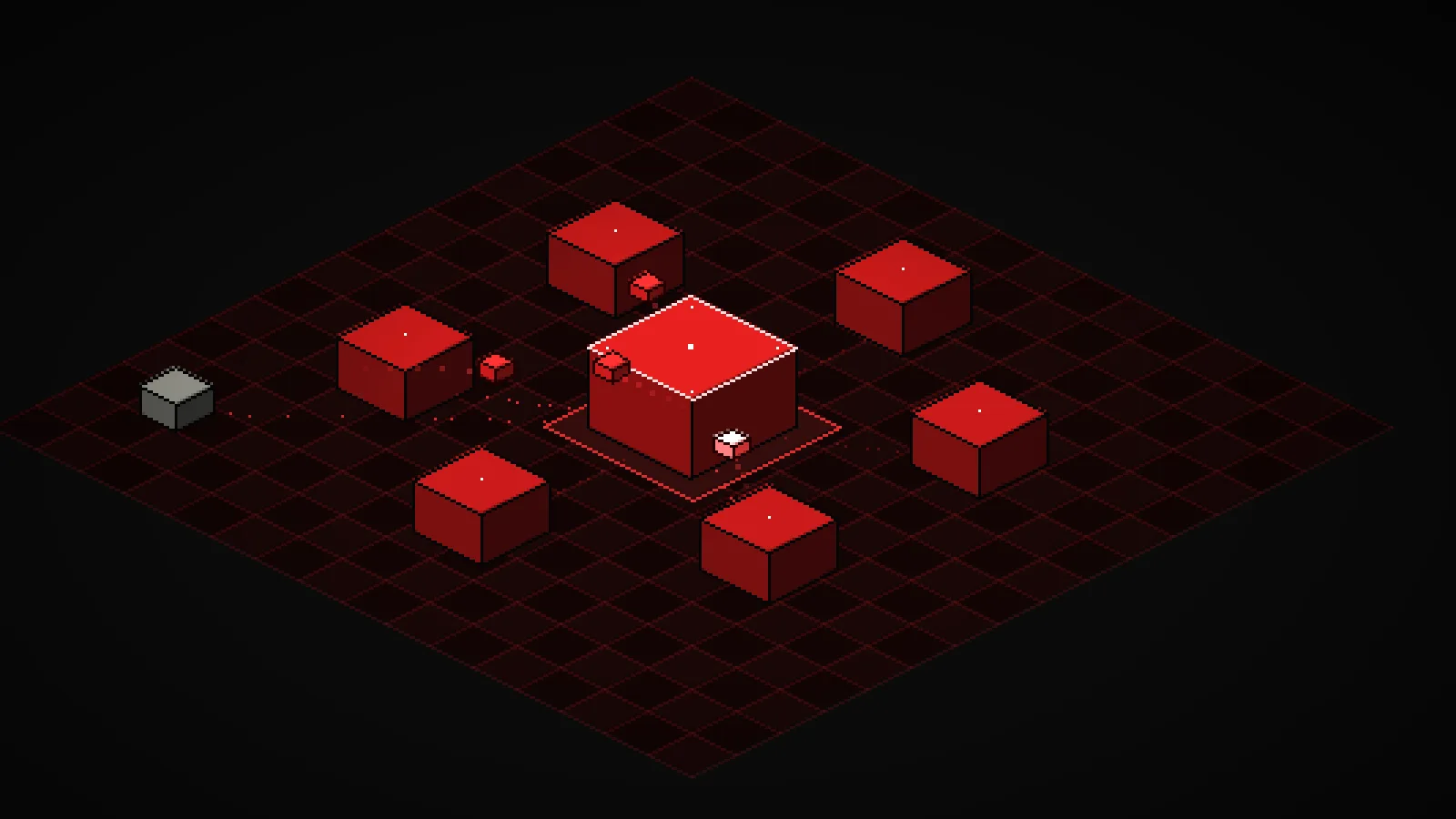
The interactive below shows a host talking to six local servers on an isometric pixel grid. Auto-loop fires realistic prompts on a timer. Toggle any server off in the lower-right panel and watch the animation route around it. Drag empty space to rotate, scroll or pinch to zoom, and tap any cube to see the tools it exposes.
Demo
Model Context Protocol: host, servers, and messages
An isometric 8-bit view of an MCP host talking to six local servers. Prompts fire on a loop, JSON-RPC messages hop along the grid, and toggling a server off reroutes the animation.
What you're seeing
The red cube in the middle is the , the process that runs the AI model and speaks the protocol. The six cubes around it are . Each server is a small program that advertises a handful of tools. The gray cube off to the side is you, the user, sending a prompt into the host.
The tiny red cubes hopping along the grid are messages. When the user (or the auto-loop) fires a prompt, the host decides which servers can answer, dispatches a tools/call to each, waits for a result, then replies back up to the user. The host flashes on every message it handles. Each server flashes when one of its tools runs.
A few things to try in the demo:
- Toggle servers off. Disable Slack or Weather in the lower-right panel. Prompts that needed them now return a no-servers response from the host, and the dotted edge to that server dims out.
- Fire a compound prompt. Click "Summarize PRs to Slack" or "Free time today?" The host dispatches to two servers in parallel and only replies to the user after both have answered.
- Rotate and zoom. Drag the grid to spin the view, scroll to zoom, or pinch on a phone. The cubes stay legible at any angle so you can watch messages from a different side.
- Crank the fire rate. Drop it to under a second and multiple tool calls overlap in flight. That is what a busy agent session actually looks like.
How it actually works
Every MCP connection follows the same lifecycle. On startup the host opens a stream to each server and sends an initialize request. The server answers with its protocol version and a capability list. The host then calls tools/list, resources/list, and prompts/list to learn what that server actually exposes.
At inference time the host builds a combined tool catalog from every connected server and hands it to the model. When the model decides to , the host routes a tools/call JSON-RPC request to the correct server, awaits the response, and feeds the result back into the next turn. If a server is toggled off, it vanishes from the catalog and the model cannot use it at all that turn. The demo reflects this: disabled servers never receive a request.
Transport is either stdio (the server runs as a child process of the host and they exchange JSON-RPC messages over pipes) or HTTP with server-sent events (the server runs out of process, often remote). The wire format is JSON-RPC 2.0 in both cases, so the host needs no per-server client code. That is the whole point: add a new server, and no client changes.
Servers are isolated processes on purpose. The host runs the model and holds any API keys. A server only sees the arguments it was handed and returns a result. A crashed or malicious server can fail its own call, but it cannot reach into the host's process memory or read the user's prompt history. That separation is the protocol's security story.
Latency is the other design constraint. Every enabled server is a potential round trip per turn, and each tool call waits on the real external system behind it (a database, an API, a disk read). Production agent workflows usually whitelist a small default server set and enable the heavy ones only for the tasks that need them.
Key takeaways
- MCP is a discovery protocol, not a hardcoded API. The host asks each server what it offers at runtime, which is why a new server plugs in without any client code changes.
- The host runs the model, servers run the integrations. They talk over JSON-RPC on stdio or HTTP, so a failing or malicious server cannot reach into the host's process.
- Tools, resources, and prompts are the three primitives. Tools are actions the model can take, resources are content it can read, prompts are templated workflows it can invoke.
- Every enabled server adds a potential round trip per turn. Good agent workflows keep the active set small and enable the expensive servers only when the task actually needs them.